
The free Git client that does the whole job
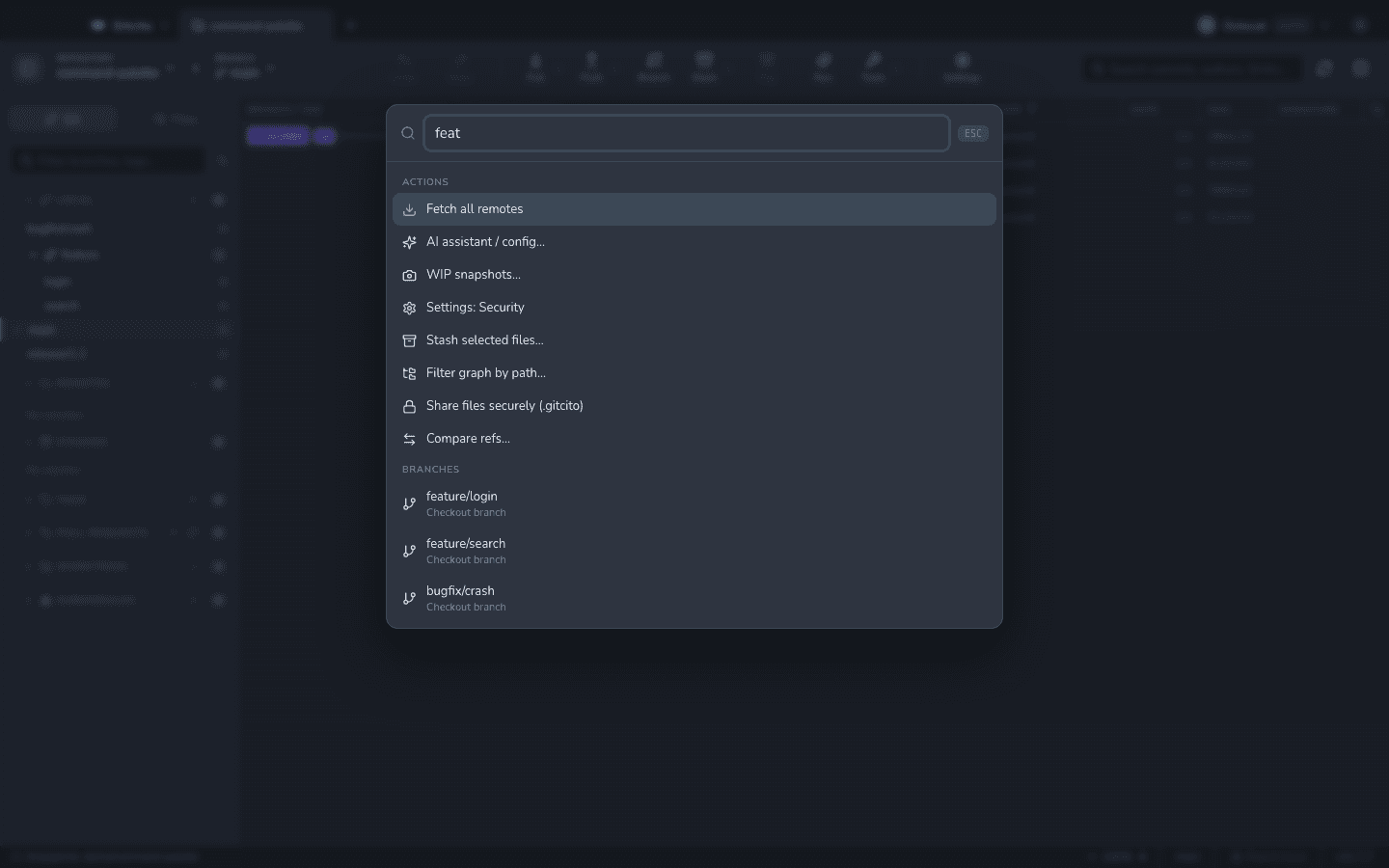
A proper commit graph, interactive rebase, pull requests, conflict resolution, AI-assisted commits and a ⌘K command palette — open source, free forever, on macOS, Windows and Linux.
How it works
Open your repos, grouped
Bundle related repositories into colour-coded groups with tabs — recents always one click away.
See history properly
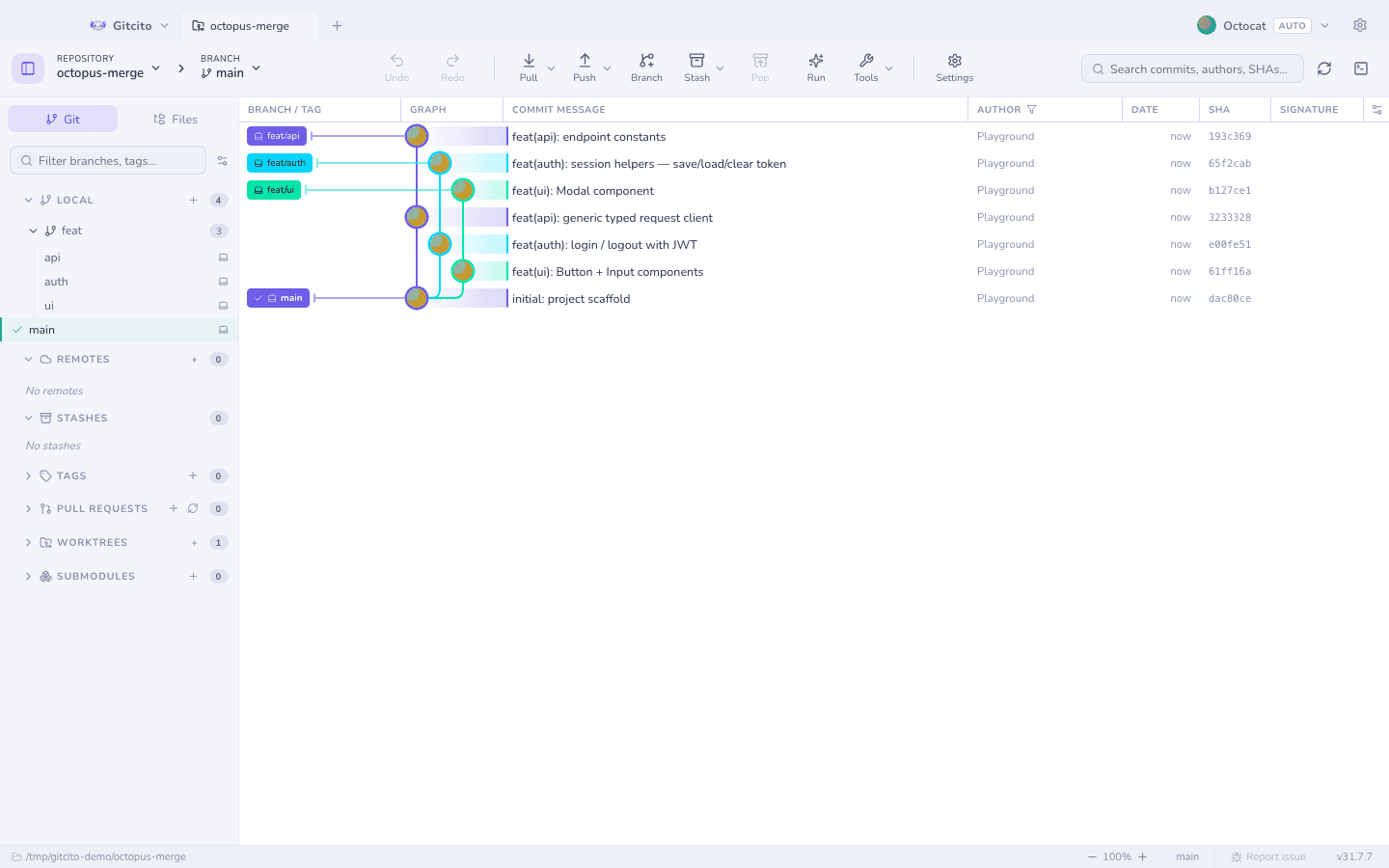
A commit graph that draws branches, merges and even octopus merges correctly, stays smooth on huge histories, and is fully customisable.
Do the hard parts visually
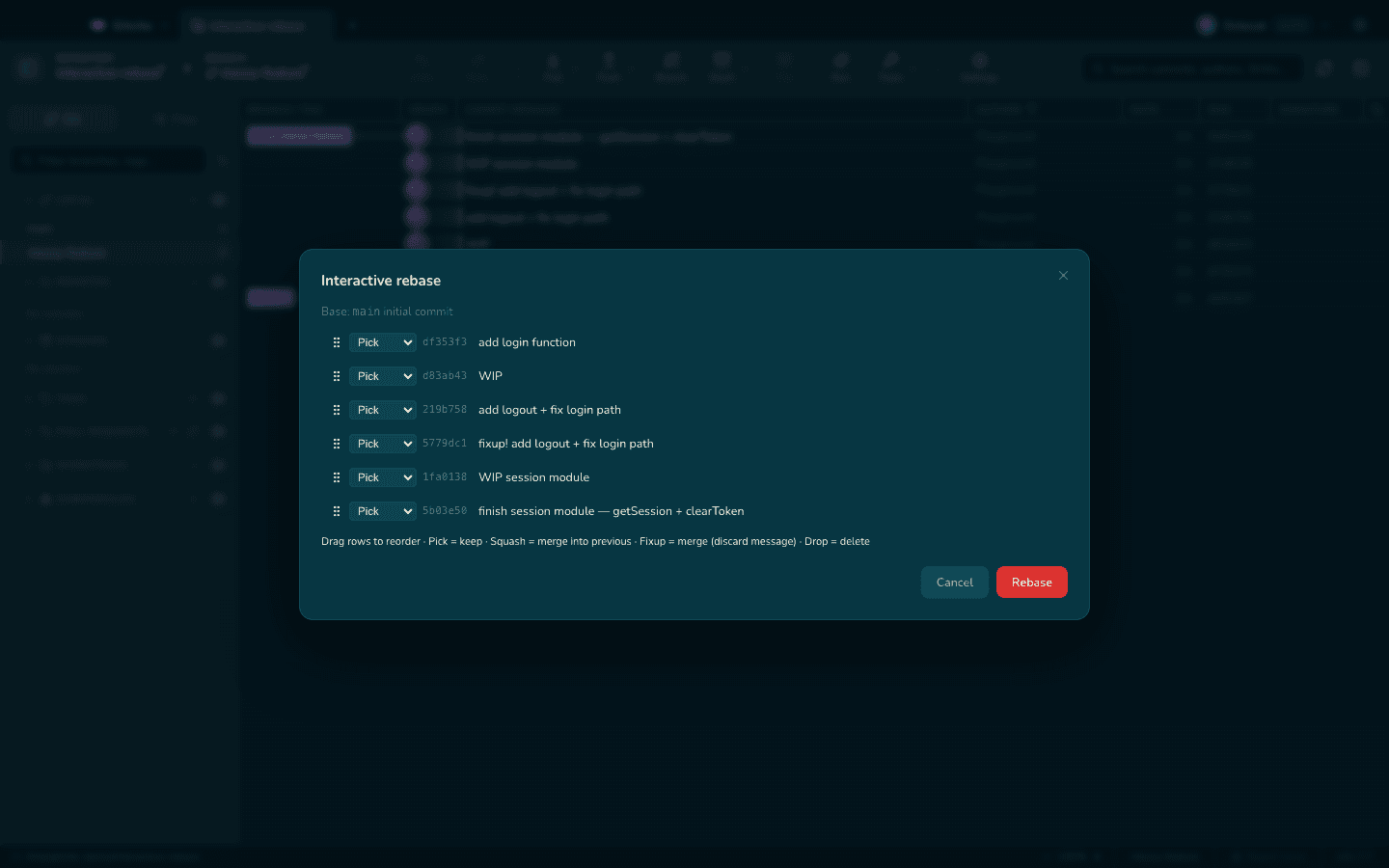
Interactive rebase, cherry-pick, squash, conflict resolution, split diffs and image diffs — the operations that hurt on the command line, made visible.
Ship with help
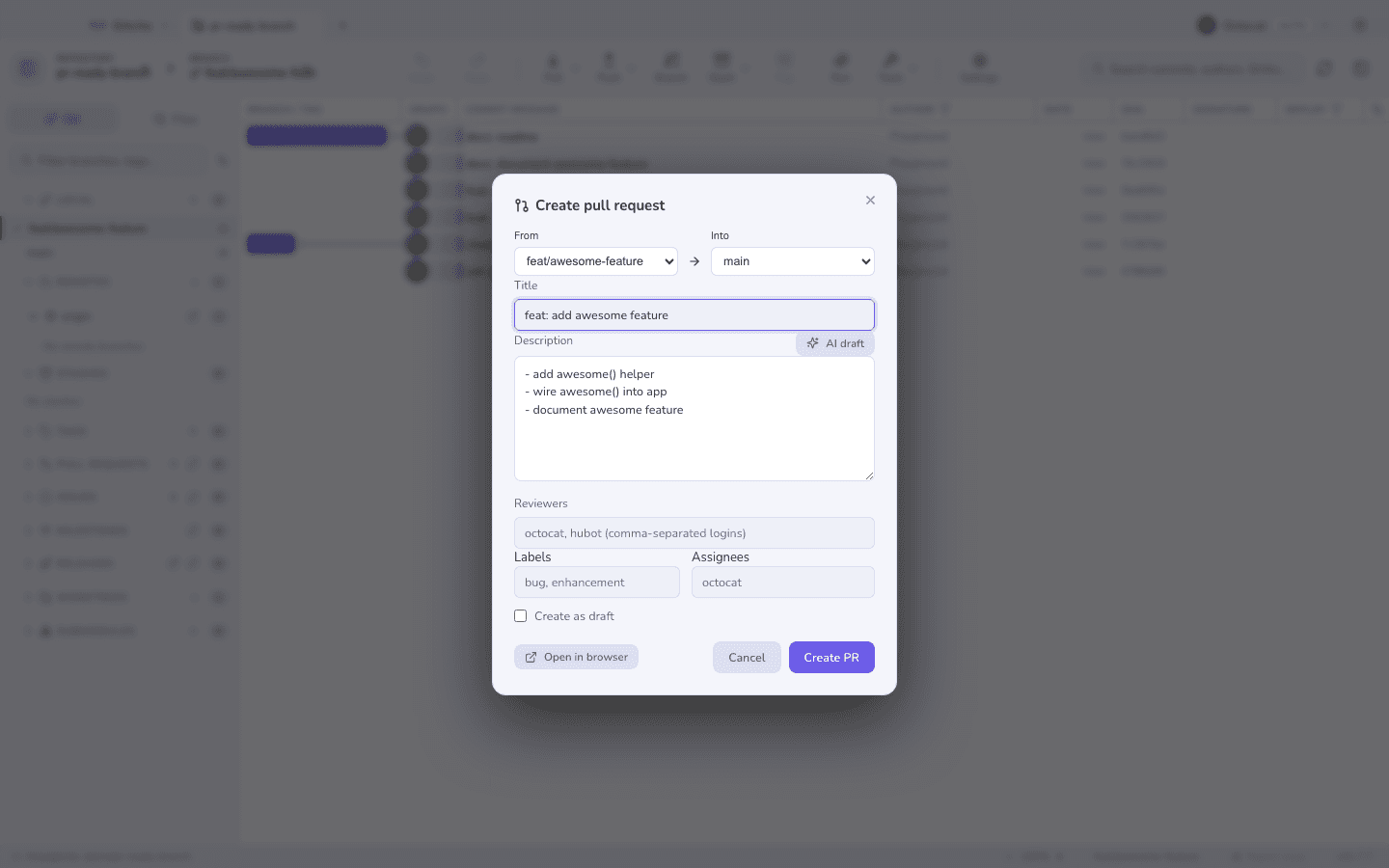
Create and review pull requests, watch inline CI status, generate changelogs, and let AI draft your commit messages from the staged diff.
Guides
Practical answers to what Gitcito users search for.
How to visualize your Git commit graph (and read it)
Why a visual commit graph beats git log, how to read branches and merges at a glance, and how Gitcito renders huge histories smoothly.
Read guideInteractive rebase with a GUI: reorder, squash and reword safely
What interactive rebase does, why a GUI makes it safer than git rebase -i, and how Gitcito handles reorder, squash, reword and conflicts.
Read guideAI-generated commit messages: useful, if you do it right
When AI commit messages help, what a good generated message needs, and how Gitcito drafts commits from your staged diff with your own AI key.
Read guideLooking for a GitHub Desktop alternative? What to check first
Where GitHub Desktop runs out of road — graph, rebase, multi-repo — and what Gitcito offers as a free open-source alternative.
Read guideFrequently asked questions
Is Gitcito really free?
Yes — free and open source, with no paid tier and no locked features. Download it from GitHub releases for macOS, Windows or Linux. Learn more
Which Git hosts does Gitcito support?
GitHub is fully supported and battle-tested, including PR review, merge, CI status, issues and notifications. PR/MR creation and listing also work on GitLab, Bitbucket and Azure DevOps.
Does Gitcito handle big repositories?
Yes. The commit graph uses windowed rendering to stay smooth on huge histories, and features like sparse checkout and LFS support are built in. Learn more
Can Gitcito write commit messages with AI?
Yes. It drafts messages from your staged diff using your own OpenAI-compatible API key, and can generate full changelogs from your history. Learn more
Does Gitcito support interactive rebase?
Yes — a fully visual interactive rebase with reorder, squash, reword and drop, plus a built-in conflict resolver, reflog browser and WIP snapshots as a safety net. Learn more
Is my data safe in Gitcito?
Gitcito is a local desktop app; your code stays on your machine. Tokens and secrets are encrypted with your OS keychain in a local vault, never synced and never committed.
Get Gitcito
Free, open-source desktop Git client for macOS, Windows and Linux — commit graph, interactive rebase, pull requests and AI-assisted commits.